QRM is the CRM that kept going: leads and deals, then projects, invoices, inventory, time sheets, and support. On top of it sits a team of AI agents that do the actual work: they file the ticket, chase the invoice, and book the meeting. Tool activity stays attributable, and higher-impact work can require approval.
FREE PLAN · 1 USER · NO CREDIT CARD
Claim your address, or find an existing workspace.
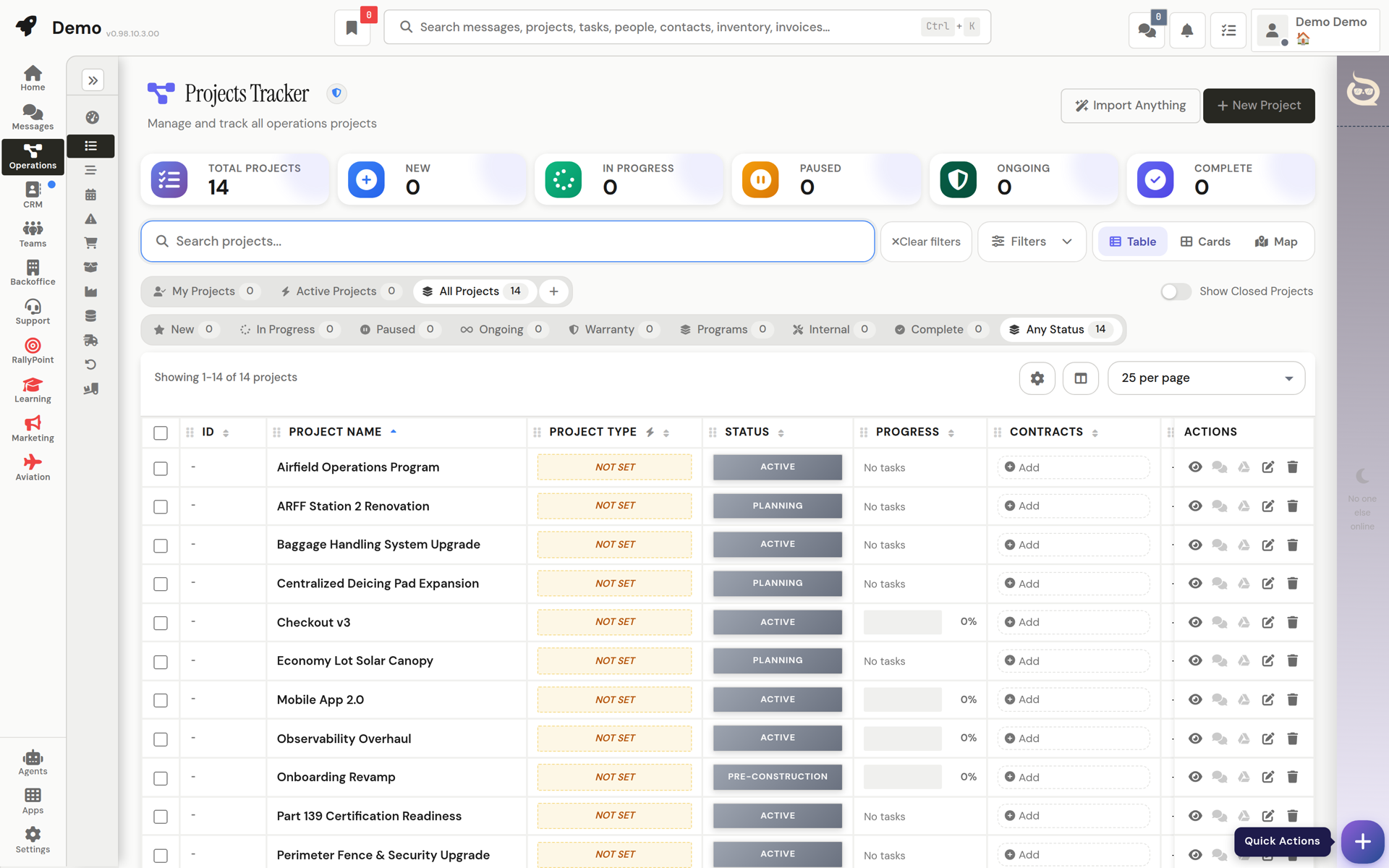
Most tools cover one stage and hand you an integrations page for the rest. QRM follows the job from first contact to paid invoice, in one place.
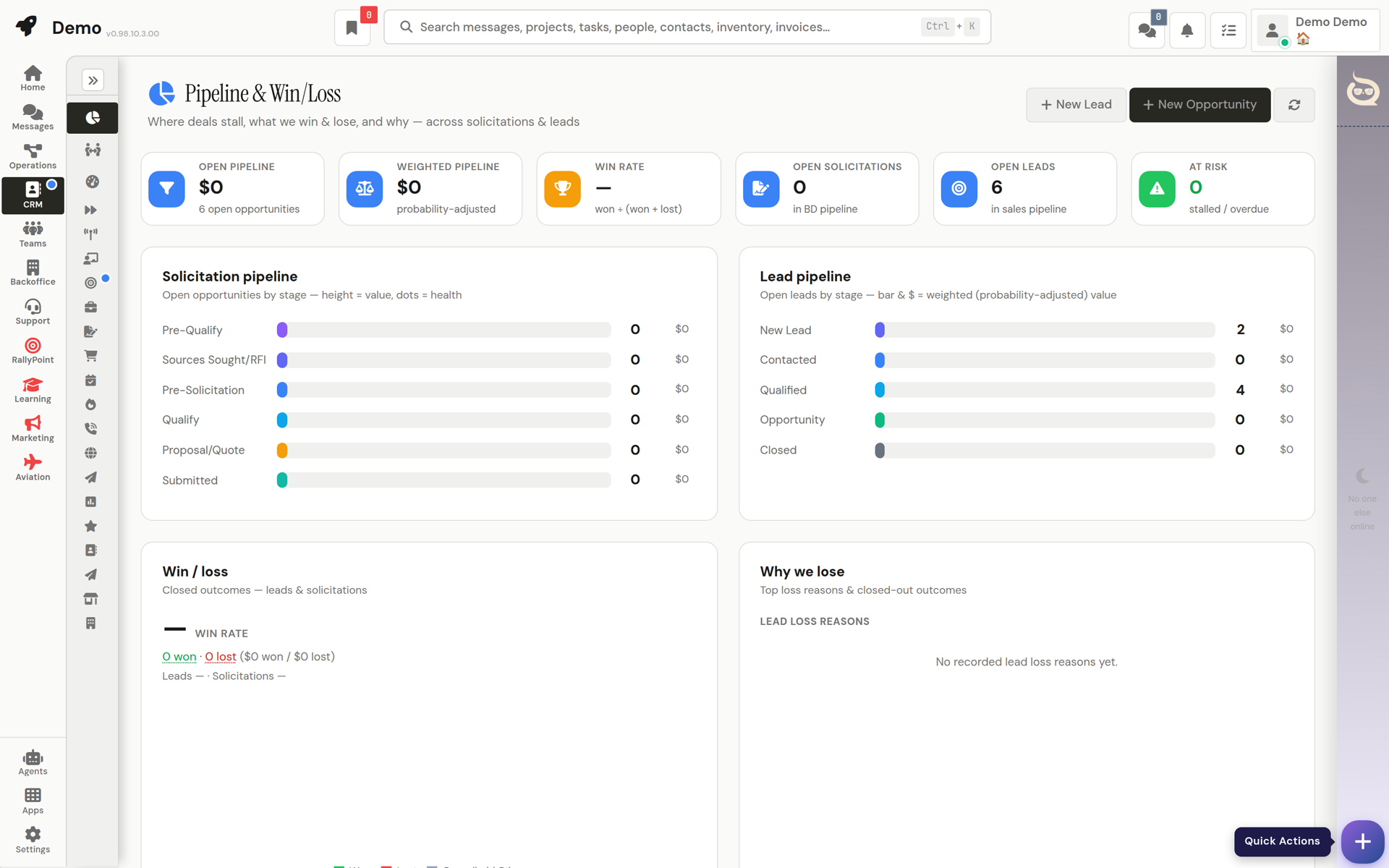
A full sales floor: capture leads from forms and email, score them automatically, and work them through cadences until the deal is signed.
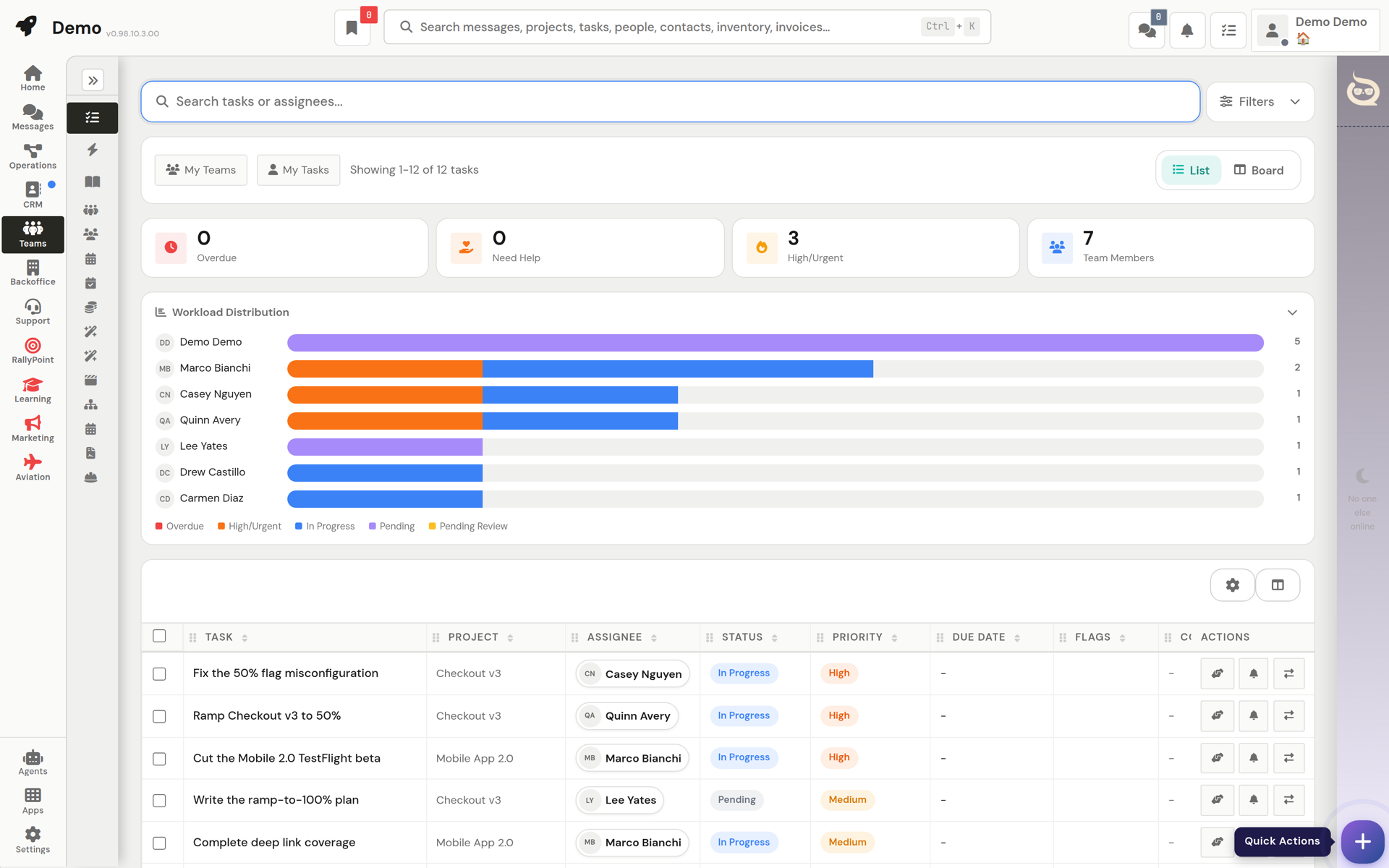
The deal becomes a project without re-typing anything. Tasks, schedules, materials, and the people doing the work stay on one screen.
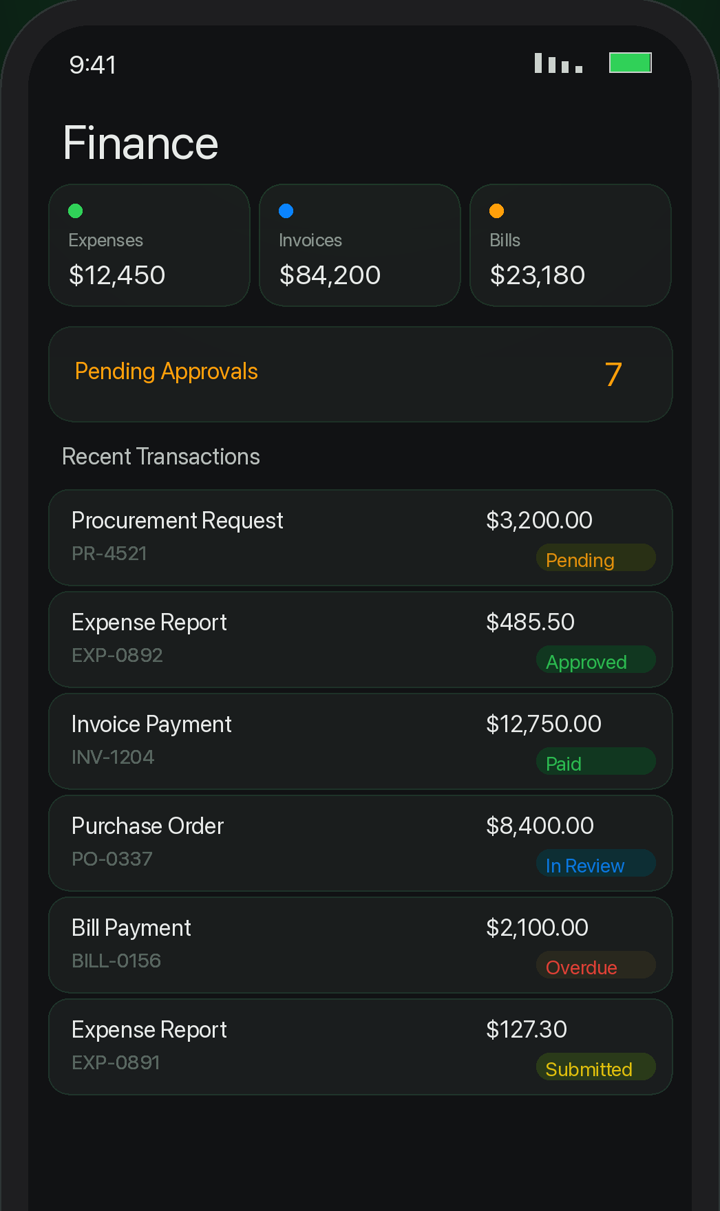
Finance lives where the work happened, so billing starts from facts: what shipped, who approved it, what the contract says.
Hours, time off, hiring, and the org chart belong next to the work, not in another tab you pay for separately.
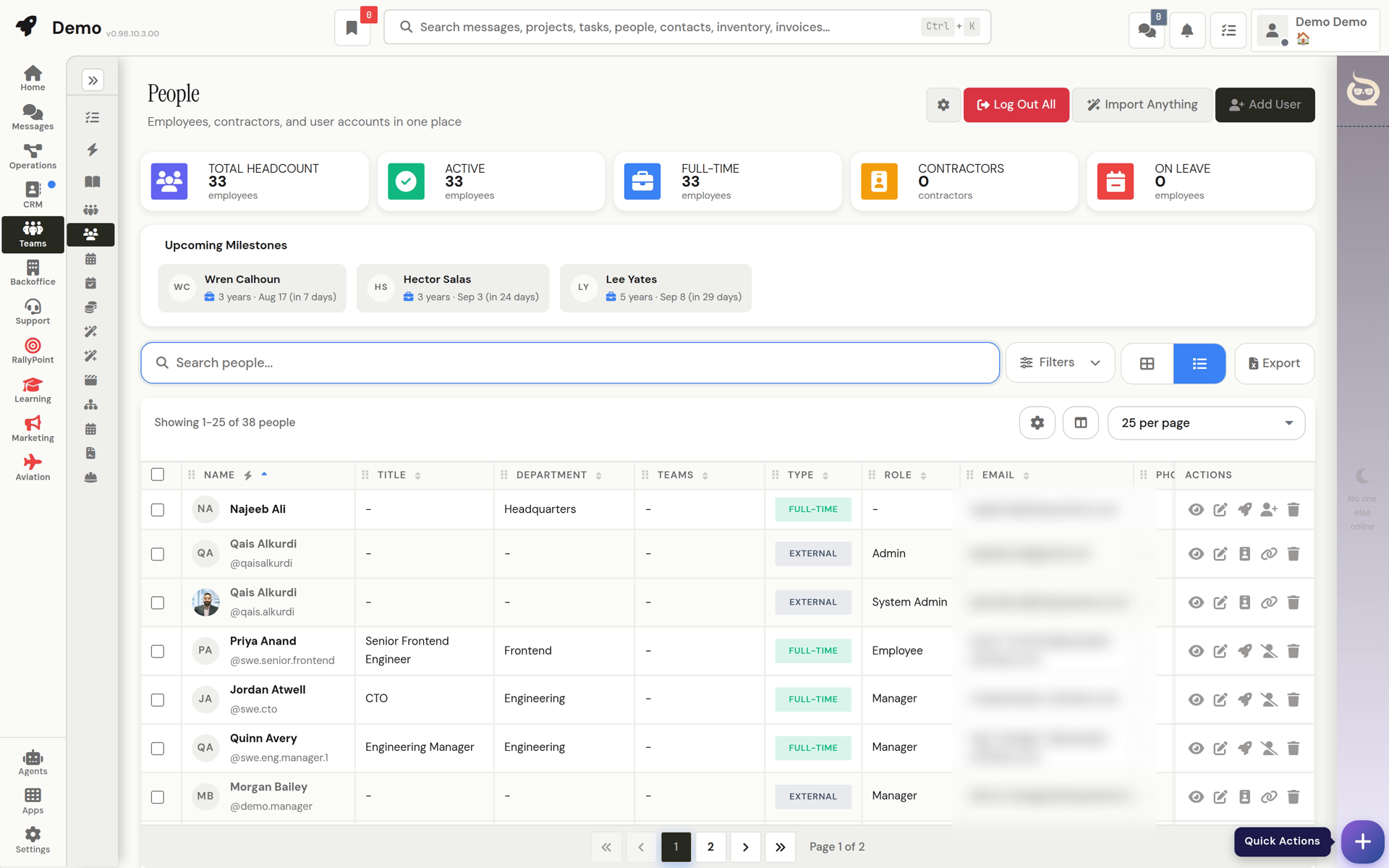
When a customer writes in, the ticket opens next to their projects, invoices, and history. Nobody asks them to repeat themselves.
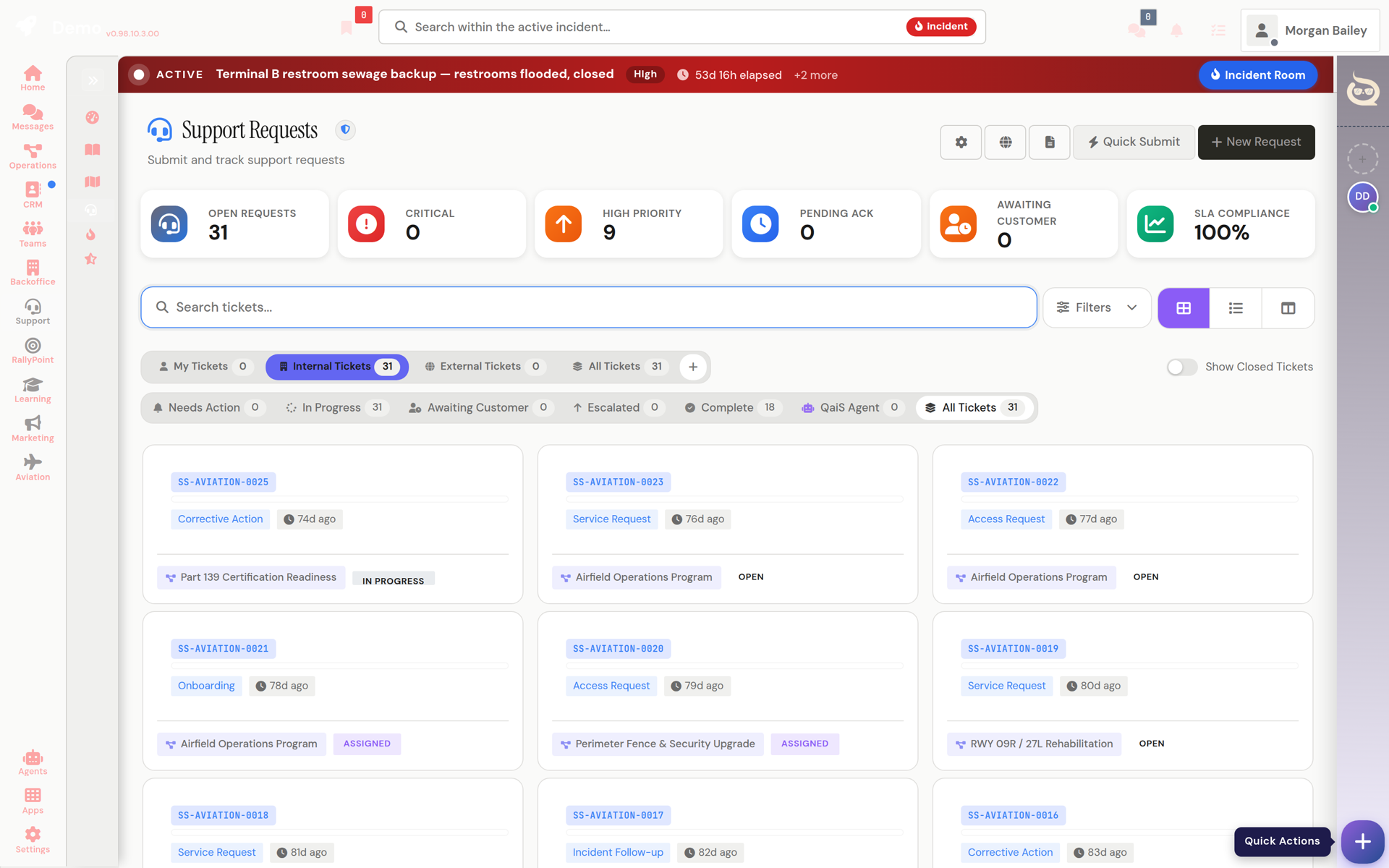
QaiS and its agents hold real tools inside your workspace. They move the milestone, open the ticket, and send the update themselves. Tool runs record who asked and what ran, with confirmation and recovery controls where the action supports them.
 QaiS · 6:42 AM
The workspace's standing agent. It knows your projects, customers, and finances, and it answers with actions, not links to help articles.
Standing arrangements you make in a sentence: “when an invoice gets paid, tell me.” The agent messages you when it happens.
Hand an agent a slow job and a live card appears in the conversation while it researches, drafts, or builds. Come back when it's finished.
Browse specialist agents and enable them per workspace. Workspace context is used to perform your request, not licensed by HQE for general-model training.
Two short reels, made with Laila, our video agent, and the founder's AI presenter. Laila's creative pipeline is available from the workspace where enabled.
These aren't connected products with a shared logo. It's one system, so the invoice knows the project and the ticket knows the customer.
Leads, cadences, opportunities, estimates, email studio, eCommerce
11 FEATURESInvoices, bills, POs, contracts, expenses, cashflow forecasting
8 FEATURESProjects, schedules, procurement, inventory, fulfillment, risks
10 FEATURESDirectory, org chart, hiring, time & attendance, PTO, onboarding
8 FEATURESRequests, incidents, knowledge base, feedback, client dashboards
BUILT INChannels, DMs, threads, email inbox, comments on everything
BUILT INQanvas: docs, decks, pages, sheets, and boards in one shell
80+ APPSAutomation Studio, an app builder you talk to, agent skills
41 packs sit on top of the core and switch on from workspace settings. Jobsite for crews, Operations Center for emergency managers, care plans for practices. Every pack shares the same people, projects, invoices and agents.
Jobs, crews and service calls on top of the projects you already run.
Read the Field Service & Trades pageEach job over its project: contract and milestone billing, the period-of-performance clock, crew, site, daily logs, punch list and change events. Dispatch board, work orders and service agreements for the service side.
On in every workspaceBookable services, resource availability, the appointment book, and a booking page customers use without an account.
The roofer's storm and sales desk: last night's hail over every roof you know, measuring and Good, Better, Best proposals, claim supplements, crew weather, and an agent team that drafts the texts for you to send.
The common operating picture, public alerts and the registry of who needs help first.
Read the Emergency Management pageZone-based evacuation orders, drills, alerts and post-action records.
Siren and radio coverage planning: sites, devices, rendered coverage layers and GIS exports.
One event feed for NWS, NOAA, IPAWS, XWeather and your own sensors, with the intelligence layer on top.
Fire-weather and flood forecasts from NWS, SPC, AHPS and the National Water Model, on your map.
The public portal: residents and employees see published events, check in as safe, and get instructions.
Incidents, assets and published feeds in one room, with SiSA and SiRcom alerting.
FEMA and NIMS ICS forms 201 through 225, filled and edited in the Forms builder.
Who is here and are they OK: rosters for shelters, activations, shifts and event days.
Learn how the organization runs, exercise the plan, and keep critical functions up through a disruption.
Agencies keep each person's record, battery visits and search response in one place.
People at risk of wandering who wear a transmitter: records, battery logs and search response.
Care management and reimbursement for practices running CCM, RPM, PCM, BHI and TCM programs.
Read the Medical & Care Management pagePractice setup, the provider roster, enabled programs and revenue share.
Patient registry and enrollment, from new to enrolled, with conditions and programs.
Care plans drafted, submitted and approved with provider review.
The daily loop: tasks, escalations and RPM readings per practice.
SOAP and encounter notes drafted by QaiS from the visit, with vitals pulled in and billing codes suggested.
Appointments linked to patients and practices, with telehealth join built in.
Wellness protocols for nutrition, supplements, movement and lifestyle, assigned with adherence tracking.
Chronic-condition catalog and the question sets that drive care plans and daily check-ins.
Time tracking and the CPT billing ledger, from in progress to billed.
Primary and secondary payer reconciliation per CPT, with balances.
Patient, billing and revenue analytics across practices.
Group P&L with per-site drill-down, plus spend requests with recoup time and deadlines.
Patients see their next appointment, today’s plan, recent vitals, messages and forms.
Hazards, training, badges, inspections and permits for any industry that gets audited.
Hazard reports, 5x5 risk assessment, the risk register and corrective actions.
A course and credential catalog with per-person records and automatic expiry tracking.
Badges, keycards, PIV cards, system accounts and keys through their whole lifecycle.
Reusable checklists, scheduled inspections, findings and corrective actions.
Permits and obligations for air, stormwater, SPCC, RCRA and Title V, with renewals tracked.
Airfield operations and FAA compliance for airports and their tenants.
The daily airfield log, runway condition (RCAM) reporting, and gate and RON management.
FAA citations and notices of violation, with Part 139 self-inspections on the shared Inspections engine.
ARFF readiness, the FOD program and wildlife hazard management.
Agreements, performance evidence and readiness for companies without a back office.
Read the Business Operations pageDraft, approve, sign and follow through on agreements without in-house counsel.
Performance evidence from tasks, requests, time, reviews and training, each linked to its source.
An intake that reads your workspace, a cited requirements catalog, and the certifications that open new markets.
Bookable services and a public booking page for any business that takes appointments.
Bookable services, resource availability, the appointment book, and a booking page customers use without an account.
Courses, cohorts and certificates for schools and training providers.
Read the Education pageAuthor courses, run paid cohorts with outside students and professors, grade, and certify.
Campaigns, brand assets, ads and attribution for in-house teams and studios.
Campaigns across email, SMS, social, web, paid and events; brand assets, ads, web analytics and attribution.
Coaching from real calls, scored against your own rubric.
Paste a call transcript, score it against your weighted rubric, and get one coaching focus.
A double-entry general ledger beside the invoices and bills you already send.
Chart of accounts, journal entries, fiscal periods and trial balance.
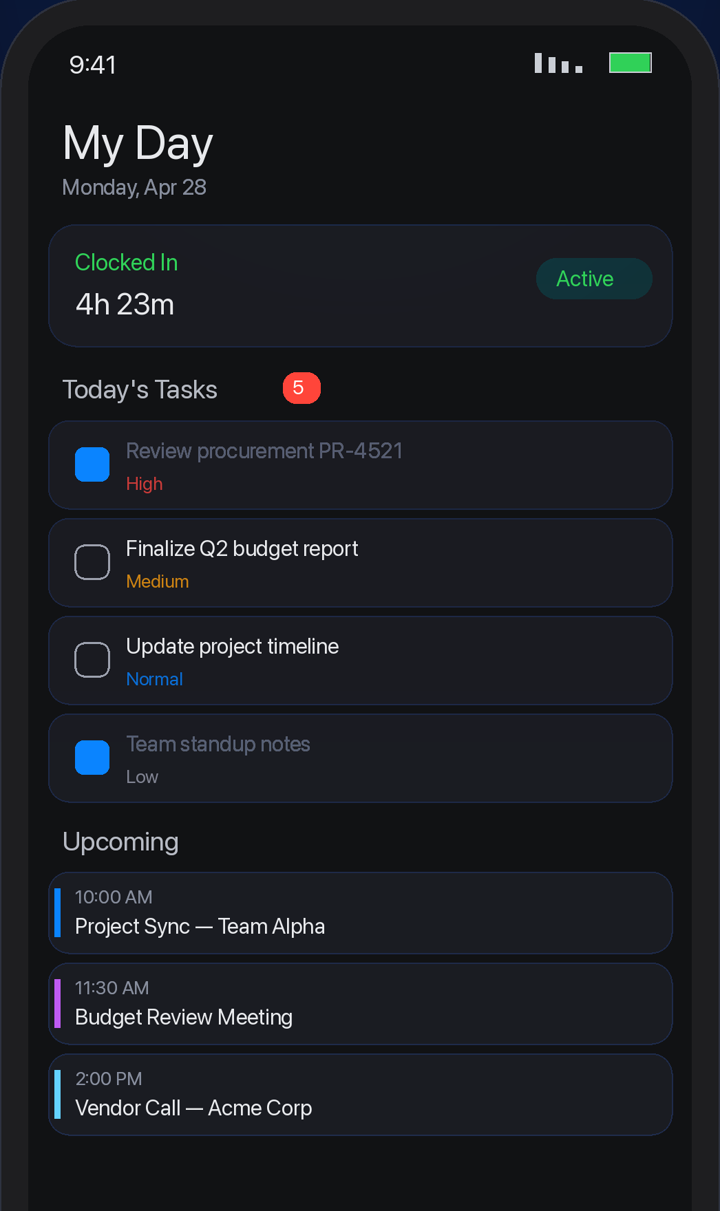
Early accessOne app, every workspace you belong to. Clock in from the truck, answer a thread from the airport, approve an invoice from anywhere. Push notifications come screened by your personal agent, so only what matters interrupts you.
WEB APP · ANDROID APP · MOBILE WORKSPACE ACCESS
Bring your records over from the tools you use now. QRM reads their exports in any format and shows you where everything lands. And if QRM isn't for you, take your data and go.
QuickBooks, Xero, NetSuite, Sage, FreshBooks, Wave
Slack history comes across; Teams, Google Chat, Discord
monday.com, Asana, Trello, ClickUp, Jira, Notion, Airtable, Smartsheet
Salesforce, HubSpot, Pipedrive, Zoho CRM
Zendesk, Freshdesk, ServiceNow
Google Drive, Dropbox, Box, OneDrive, Gmail, Outlook
BambooHR, Gusto, Harvest, Toggl Track
If it exports, the smart importer can read it
You approve every import, and your data is always yours to take with you.
For 2–5 users: the working standard with QaiS on shift.
Open a workspaceFor 5–100 users: Networks and Agencies, white-label branding, resellers, and priority support.
Open a workspaceYour own domain, Networks and Agencies, custom branding, and a direct line to us.
Contact UsFull plan details on the pricing page.
Your workspace is its own database, and agents leave a paper trail. Details on the trust page.
A workspace at yourteam.qais.app that holds your CRM, projects, invoicing, inventory, HR, support, and team chat, with AI agents that hold real tools inside it. It runs on the web, Android, and iPhone. It has been running a real operations company since 2024.
A normal CRM ends at "deal won," and then you re-type everything into a project tool, an invoicing tool, and a support desk. QRM keeps the same record moving: the deal becomes the project, the project becomes the invoice, and the customer's ticket shows up next to both.
They execute, with tools: move a milestone, open and assign a ticket, send the crew an update, draft the invoice, watch for an event you described in one sentence. Tool runs record who asked and what ran; higher-impact flows can require human confirmation. If an agent cannot complete a request, it reports the limitation.
HQE does not use or license Customer Data to train general-purpose models without an explicit opt-in. AI providers process the context needed to return the result you request, as described in our Privacy Policy.
Yes, usually in a day. QRM reads exports from the tools you use now, from accounting and chat to project boards and your CRM, and maps them while you watch. Nothing is added until you approve it.
Nothing. The Free plan needs no credit card, and a workspace is live in a few minutes. Team is $99 per user per month with a two-user minimum when you're ready to bring the crew; annual billing drops that to $79.
Take your data and go. You can download everything in your workspace at any time, and close the workspace from Settings.
That's the whole setup. Pick a name and the rest is provisioned for you, agents included.
FREE PLAN · 1 USER · NO CREDIT CARD